
Daily planner app
Your Whole Day on One Page A daily planner app that starts with your real schedule
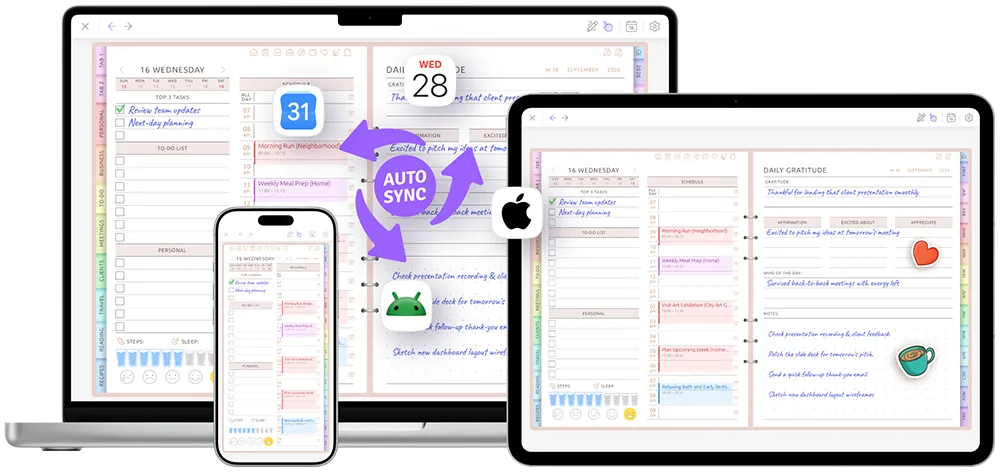
Your Google or Apple Calendar events are already in today's schedule. Add your Top 3, put the rest of the to-do list beside them, and write or type your notes — all on one page.
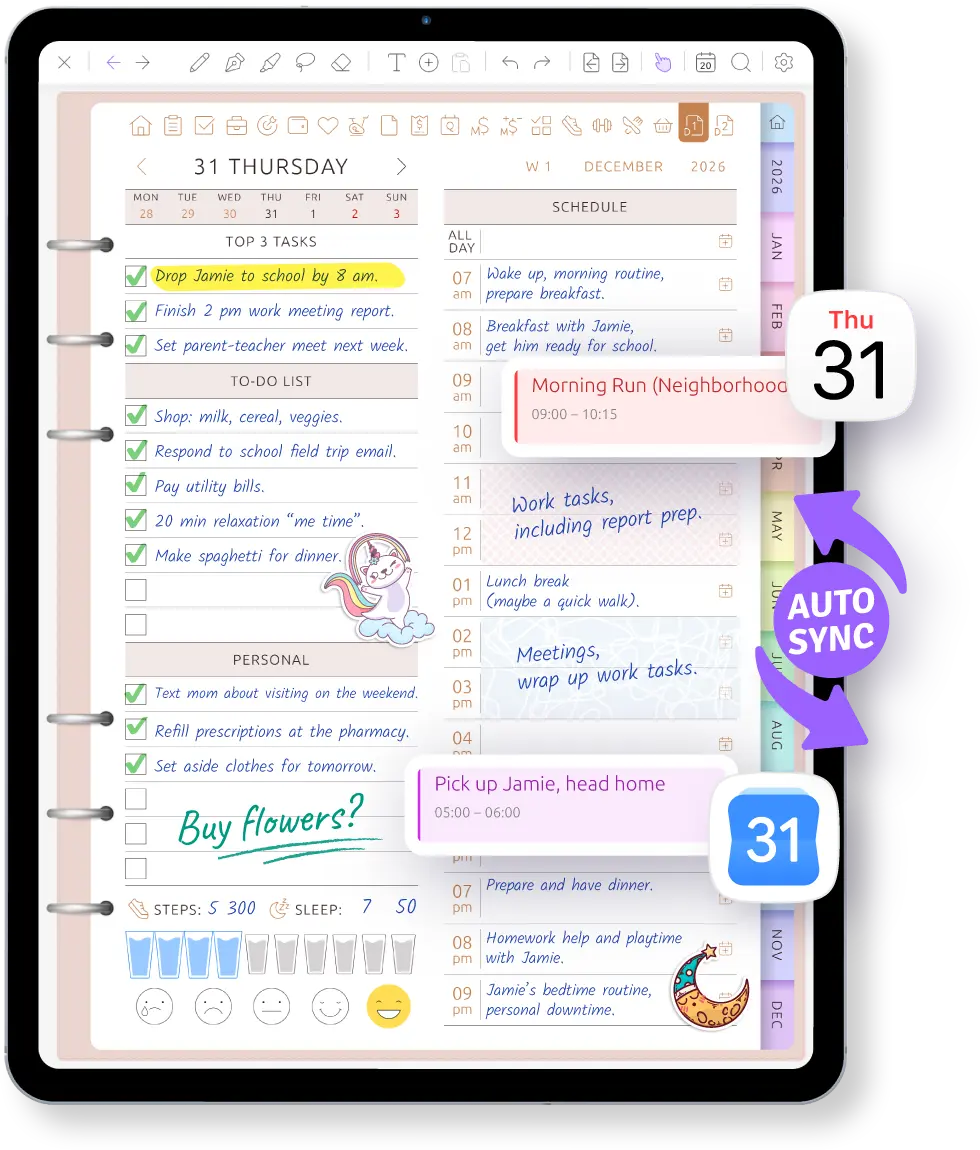
Your day isn't a blank page
Your 9:00 meeting, school pickup and dentist appointment are already in the schedule. You start by seeing the time that is really available, then choose the three things that matter today.
If plans change, drag an event to another time or resize it on the page. Your Google or Apple Calendar updates too.
- Calendar events already placed in the day's schedule
- Top 3, checklist and notes beside the hours
- Handwrite with a stylus or type on the same page
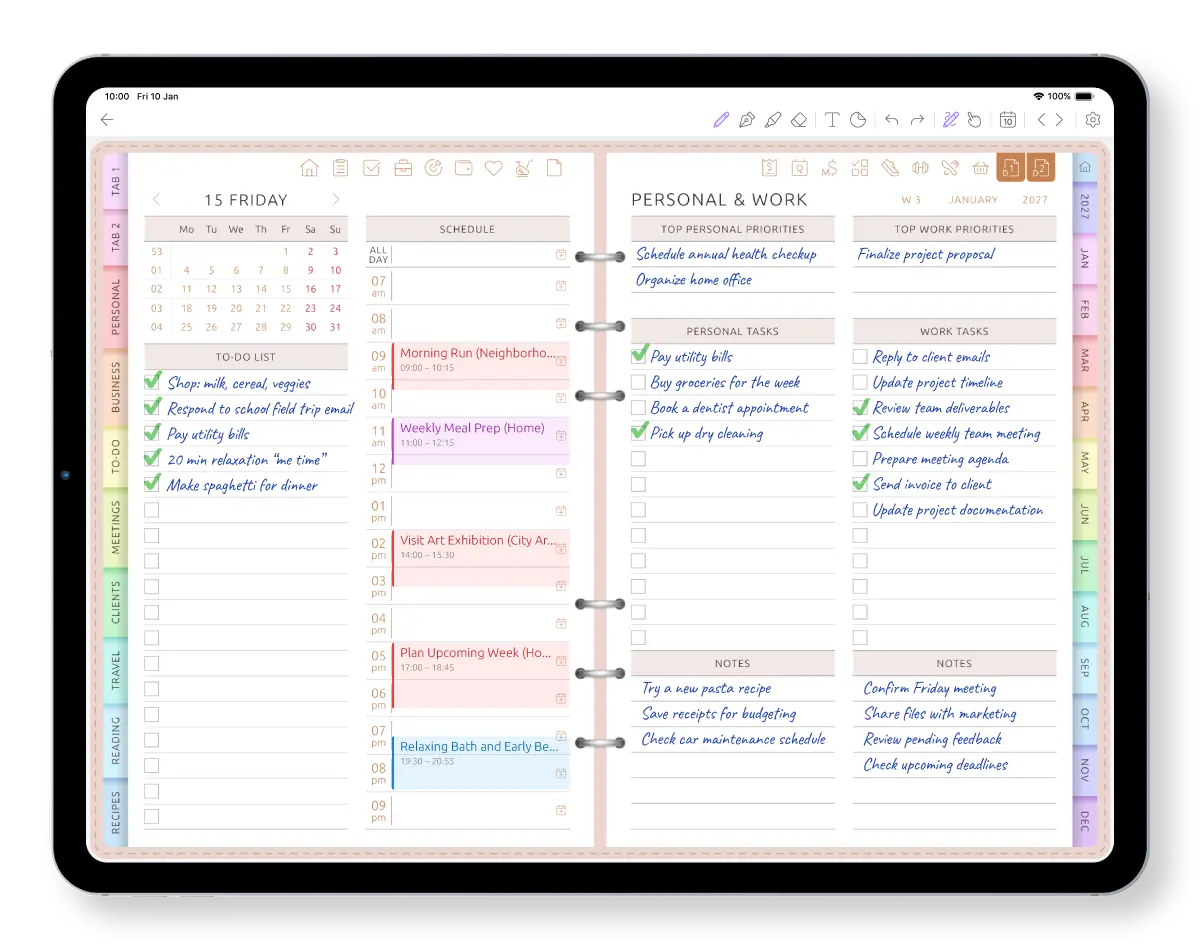
One page for the day that is already happening
See how calendar events, notes and tasks live together without bouncing between apps.
Why daily planners get dropped — and what's different here
We read what people say when they give up on a daily planning app. These three come up again and again.
-
Problem
“So many pages and decisions before the day even starts. I never got past day 4.”
— Bought every kind of planner Solution
Start with one page: schedule, top 3, to-do list. Switch off the sections you don't need.
-
Problem
“My appointments are in my calendar app. My day is somewhere else.”
— Busy job, busy family Solution
Your Apple or Google Calendar events are already in today's schedule.
-
Problem
“I skipped a few days, and now I can't face the planner.”
— Off and on for years Solution
Tap Today and you're on today's page. Nothing to catch up on.
Start with one simple page. Change it when you need to.
Begin with a schedule, Top 3 and checklist. If that page stops fitting your day, choose from more than 60 daily layouts — and change it later without rebuilding the rest of your planner.
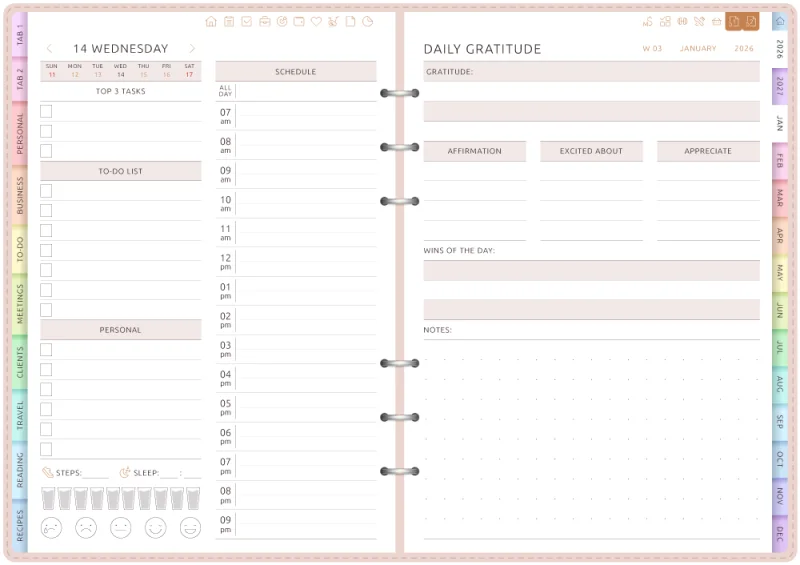
Top 3, to-do list and schedule
The classic day: three things that matter, everything else, and your hours. A gratitude page faces it.
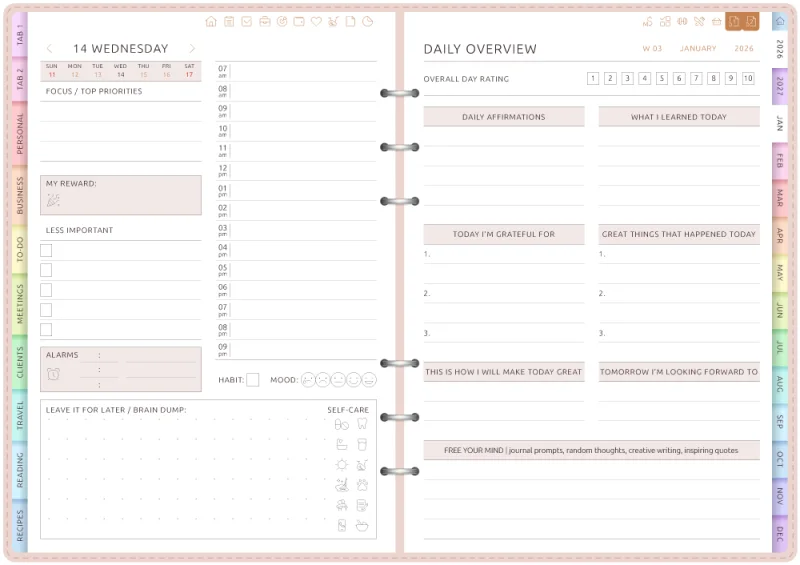
Focus and brain dump
Top priorities, a “less important” list and a box to empty your head. Mood and self-care at the bottom.
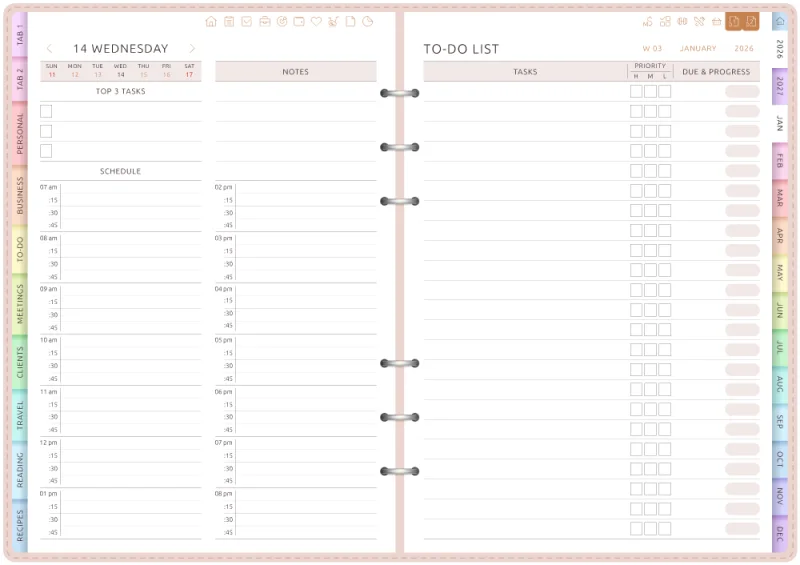
15-minute schedule
For packed days: every hour split into quarters, with a full to-do list on the facing page.
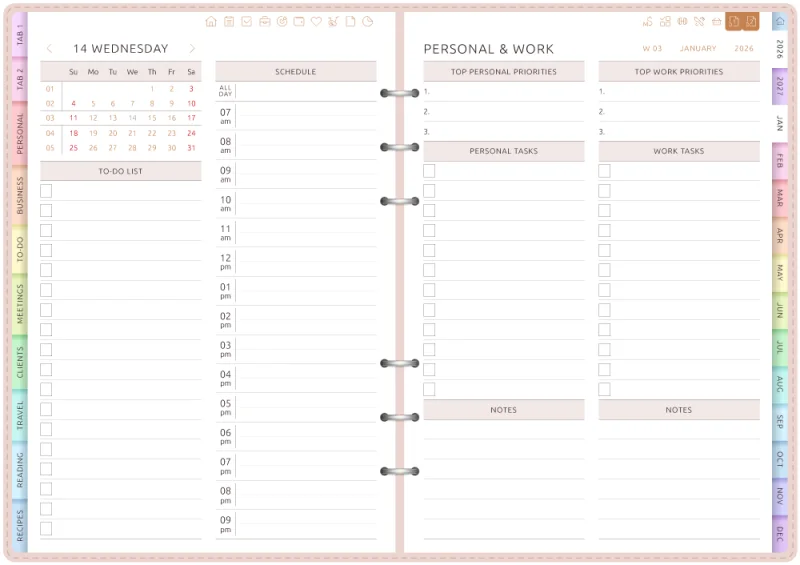
Personal and work
One schedule, two lists: your top priorities and tasks for work and for home, side by side.
Open today's page.
Start free on iPad, iPhone, Android or the web.
Skipped a few days? Tap Today.
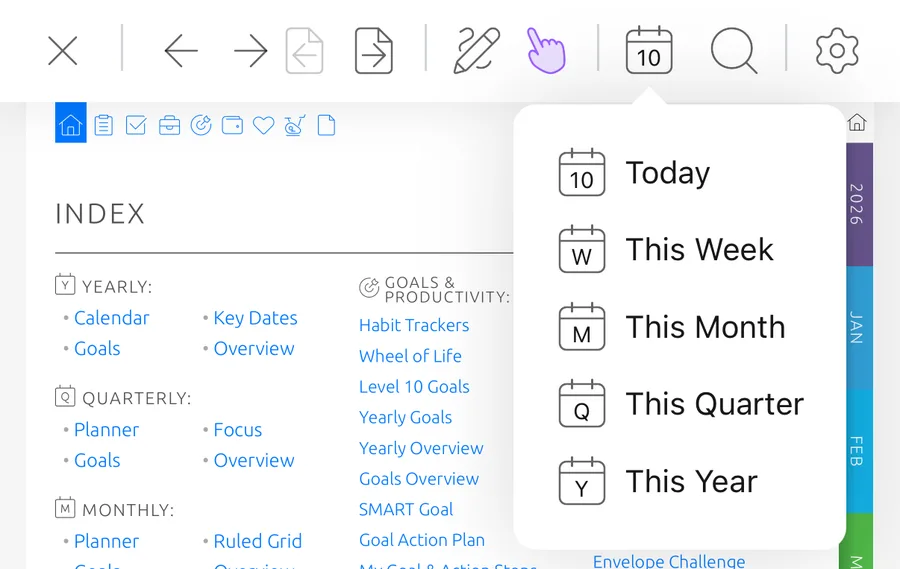
You don't have to fill the pages you missed or rebuild the plan. Open the calendar menu, tap Today and continue from the page that matters now.
This Week, This Month and This Year are in the same menu whenever you need the bigger picture.
Plan tomorrow tonight
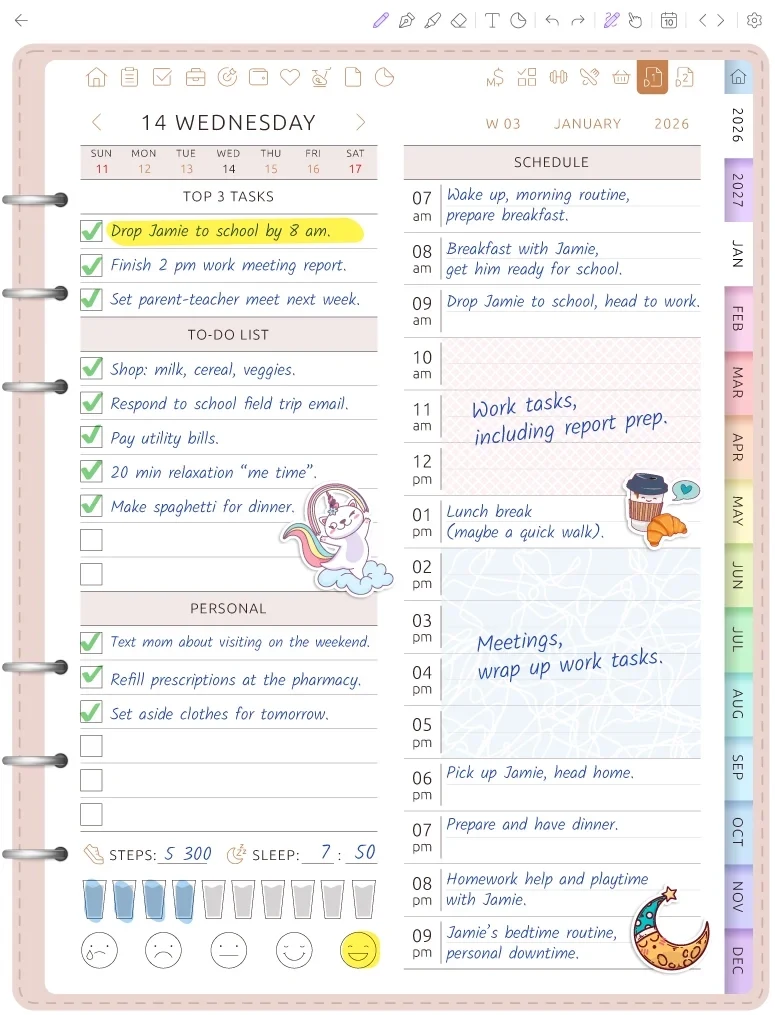
Choose tomorrow's Top 3 while the day is still clear in your head. Your calendar events already show what is booked and where the open time is.
In the morning, tap Today. The appointments and the plan you made the night before are waiting on the same page.
Your day doesn't have to run from 8 to 6
Set the hours that fit an early start, a late shift or a split schedule. Choose 12- or 24-hour time and keep only the hours you actually plan.
The calendar events still appear at their real times, so the page starts with your day instead of someone else's template.
Write it on iPad. Type it on your phone.
Use Apple Pencil or any stylus, or just type. Mix both on one page.
It's one planner on iPad, iPhone, Android and the web. Plan the day on your tablet, check it on your phone on the way out.
Frequently Asked Questions
Plan your day on one page
Set your hours, connect your calendar, open today's page. Start free on iPad, iPhone, Android or the web.