
 vs
vs
Noteshelf + a PDF Planner vs Ultimate Planner App
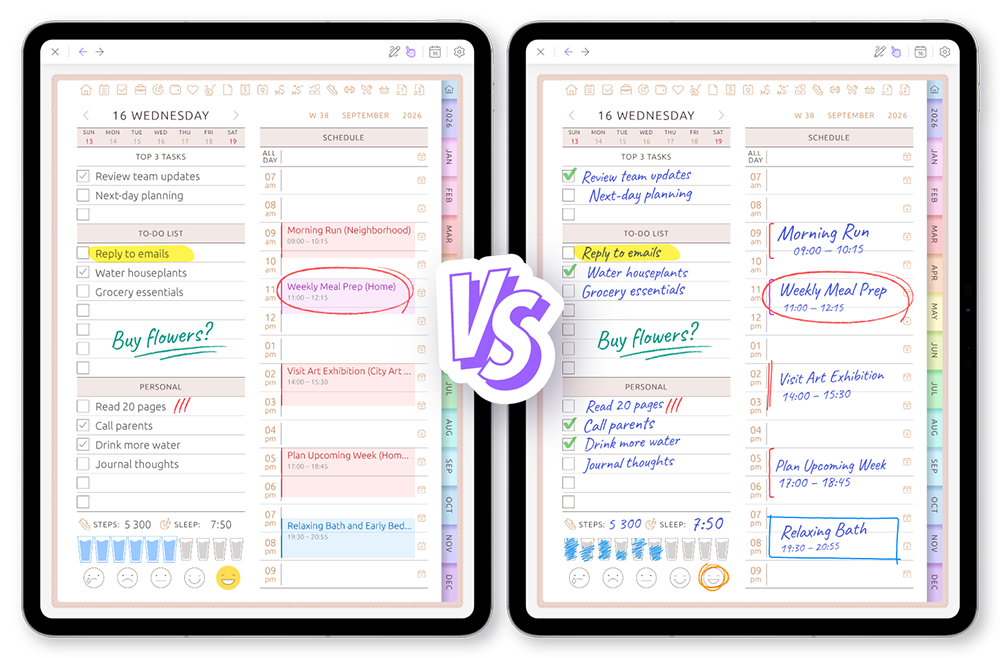
Both support handwriting. But a PDF is fixed when it is created, while Ultimate Planner can change as your planning needs change.
Noteshelf is a polished note-taking app with beautiful notebooks, templates and audio notes on Apple and Android devices. This page compares one specific workflow — an imported PDF planner inside Noteshelf — with a purpose-built planner app.
Fixed PDF → Adaptable Planner
Choose Noteshelf + PDF if…
- You already know exactly which layouts you need
- You love decorated, fixed digital notebooks
- You mostly write by hand and record audio notes
- A planner PDF for one specific year is enough
- You use Noteshelf for journals and study notes anyway
Choose Ultimate Planner if…
- You want to change structure after you start
- Your schedule changes often
- You want calendar events inside planner pages
- You plan on several devices
- You do not want to set up a new planner every year
See the difference in one real planning workflow
The key difference is not handwriting. It is what happens after your planner has already been set up and filled with content.
The short version
Handwriting
Noteshelf + PDF planner
Yes
Ultimate Planner
Yes
Keyboard input
Noteshelf + PDF planner
Added as text objects on top of the page
Ultimate Planner
Built into planner fields
Noteshelf + PDF planner
Usually means replacing or rebuilding the planner
Ultimate Planner
Reconfigure the current planner
Keep content when structure changes
Noteshelf + PDF planner
Notes stay behind in the old PDF
Ultimate Planner
Content on unchanged layouts remains
Noteshelf + PDF planner
Fixed by the PDF file
Ultimate Planner
Switch orientation any time
Noteshelf + PDF planner
Static links built into the PDF
Ultimate Planner
Live Today, This week and This month shortcuts
Noteshelf + PDF planner
Tied to the year the PDF covers
Ultimate Planner
Navigate to any year
Noteshelf + PDF planner
External links, shortcuts or a separate app
Ultimate Planner
Displayed and managed inside planner views
Noteshelf + PDF planner
Printed into the PDF
Ultimate Planner
Rename headers in place
Noteshelf + PDF planner
Replace backgrounds or pages
Ultimate Planner
Change without replacing the planner
| Capability | Noteshelf + PDF planner | Ultimate Planner |
|---|---|---|
| Handwriting | Yes | Yes |
| Keyboard input | Added as text objects on top of the page | Built into planner fields |
| Change layouts after starting | Usually means replacing or rebuilding the planner | Reconfigure the current planner |
| Keep content when structure changes | Notes stay behind in the old PDF | Content on unchanged layouts remains |
| Portrait and landscape | Fixed by the PDF file | Switch orientation any time |
| Jump to today | Static links built into the PDF | Live Today, This week and This month shortcuts |
| Calendar years | Tied to the year the PDF covers | Navigate to any year |
| Calendar events | External links, shortcuts or a separate app | Displayed and managed inside planner views |
| Rename block headings | Printed into the PDF | Rename headers in place |
| Themes and covers | Replace backgrounds or pages | Change without replacing the planner |
Change the planner after you start
Your planner should not be locked on day one
Two weeks after starting, you realize the weekly layout works — but the daily layout does not.
A PDF planner is generated once: changing its daily layout means downloading or creating a new file and moving your notes by hand. Ultimate Planner reconfigures the planner you are already using — switch the daily layout, rename headers, change the theme — while every other page keeps its content.
PDF workflow
- Find or generate another planner PDF
- Import it as a new document
- Your old notes stay in the previous file
- Re-copy anything you still need
Ultimate Planner
- Open planner settings
- Pick a different daily layout
- Rename headers if you like
- Weekly pages and their content stay as they were
See the planner the way you need it
Write in portrait. Review in landscape.
A PDF page has one orientation, chosen when the file was made. Ultimate Planner renders the same planner in portrait for comfortable handwriting and in landscape for a wider weekly overview — you switch on the spot instead of choosing forever at download time.
PDF workflow
- Orientation is baked into the file
- A landscape version is a separate PDF
- Switching means maintaining two planners
Ultimate Planner
- Rotate the device or toggle orientation
- The same layout re-renders for the new format
- Your notes stay where they belong
A planner that knows the date
Open the day you actually need
PDF planners navigate through hyperlinks created in advance, for one specific year. Ultimate Planner navigates by the calendar itself: jump to today, this week or this month, or pick any date in any year — 2026, 2027 or later — without importing a new planner.
PDF workflow
- Tap links pre-built into the document
- Pages exist only for the covered year
- A new year usually means a new PDF
Ultimate Planner
- Today, This week and This month shortcuts
- The date picker opens the matching page
- Move between years freely
Your calendar inside your planner
Plan around your real calendar
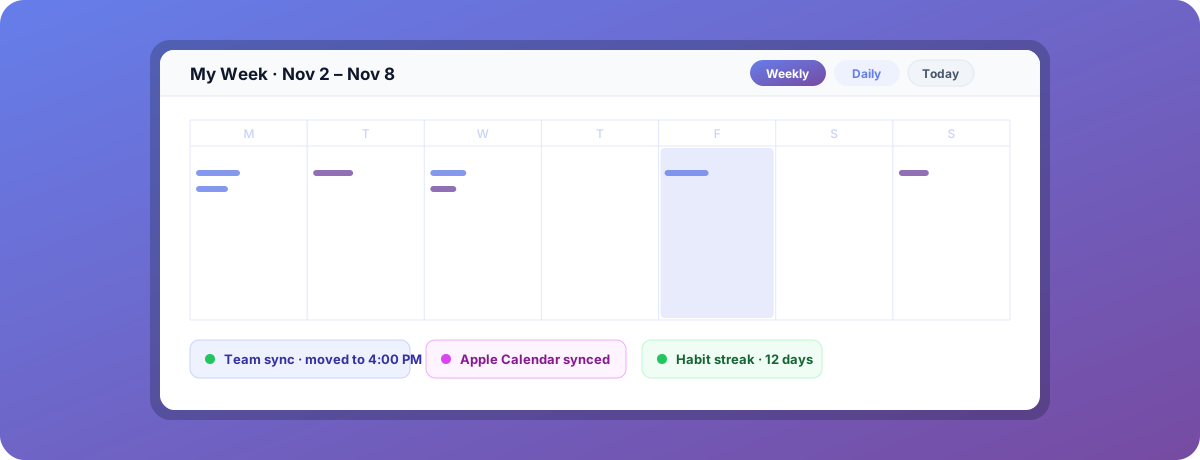
A 2:00 PM meeting moves to 4:00 PM.
With a PDF planner the calendar lives in another app: when a meeting moves you erase the old entry, write the new time and rearrange tasks by hand. Ultimate Planner syncs Apple and Google Calendar into the layout, so the event updates itself — you only re-plan your own tasks.
PDF workflow
- The change happens in Apple or Google Calendar
- Go back to the PDF planner
- Erase the old entry and write the new time
- Rebuild handwritten tasks around it
Ultimate Planner
- The event syncs automatically
- The new time shows inside the weekly layout
- Open or edit the event right in the planner
- Only your own tasks need re-planning
Plan the way that works right now
Write or type
Use handwriting when you want freedom. Use the keyboard when speed matters — planner fields accept both.
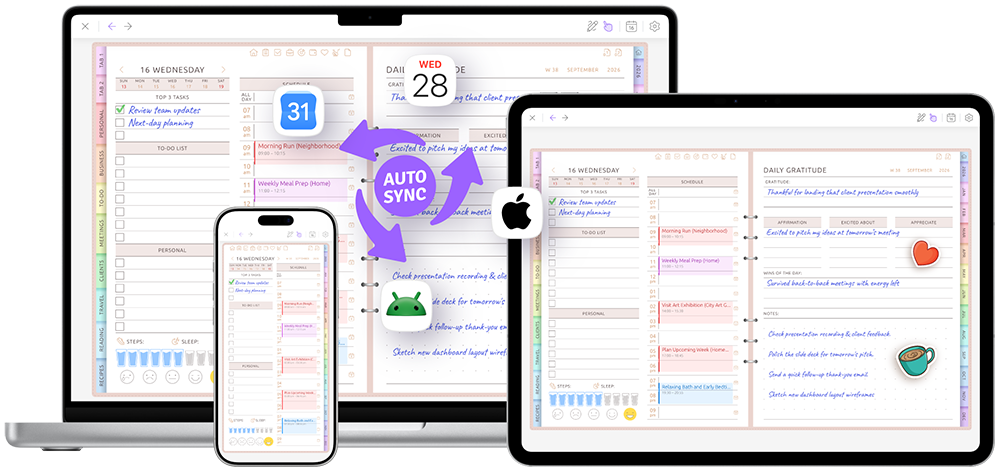
Continue anywhere
Use the same planner on iPhone, iPad, Android and the web. Your pages stay in sync.
Change the look, keep the content
Recolor stickers, switch themes and change covers without replacing the planner.
Good tools for different planning styles
Noteshelf is excellent for handwriting, document annotation and general note-taking. A PDF planner inside it can be a great choice when you want a stable, decorative digital notebook.
Ultimate Planner is built for people who want the planner itself to stay configurable, date-aware and connected to their calendar. It does not rearrange your handwriting automatically — it removes the need to recreate the structure and the calendar layer by hand.
Which planning workflow fits you?
A PDF planner is probably enough when…
- The structure is final and you know it works
- Most notes happen on one device
- You are fine duplicating calendar events by hand
- You want one specific, beautifully designed PDF
Ultimate Planner fits better when…
- Your layout needs may change mid-year
- The calendar is part of everyday planning
- You plan across iPad, Android and the web
- You do not want a new planner every year
- You want to restyle without starting over
Want the full feature matrix? See the complete Noteshelf vs Ultimate Planner comparison table.
Frequently asked questions
Yes. Ultimate Planner supports Apple Pencil on iPad and styluses like the Samsung S Pen on Android, with palm rejection for natural handwriting.
Try one real week in a planner that can change with you
Change a layout, connect your calendar and open the same plan on another device.
Watch the comparison again