
Your paper planner can't see your calendar. This one can.
The Digital Planner That Syncs With Google Calendar and Apple Calendar
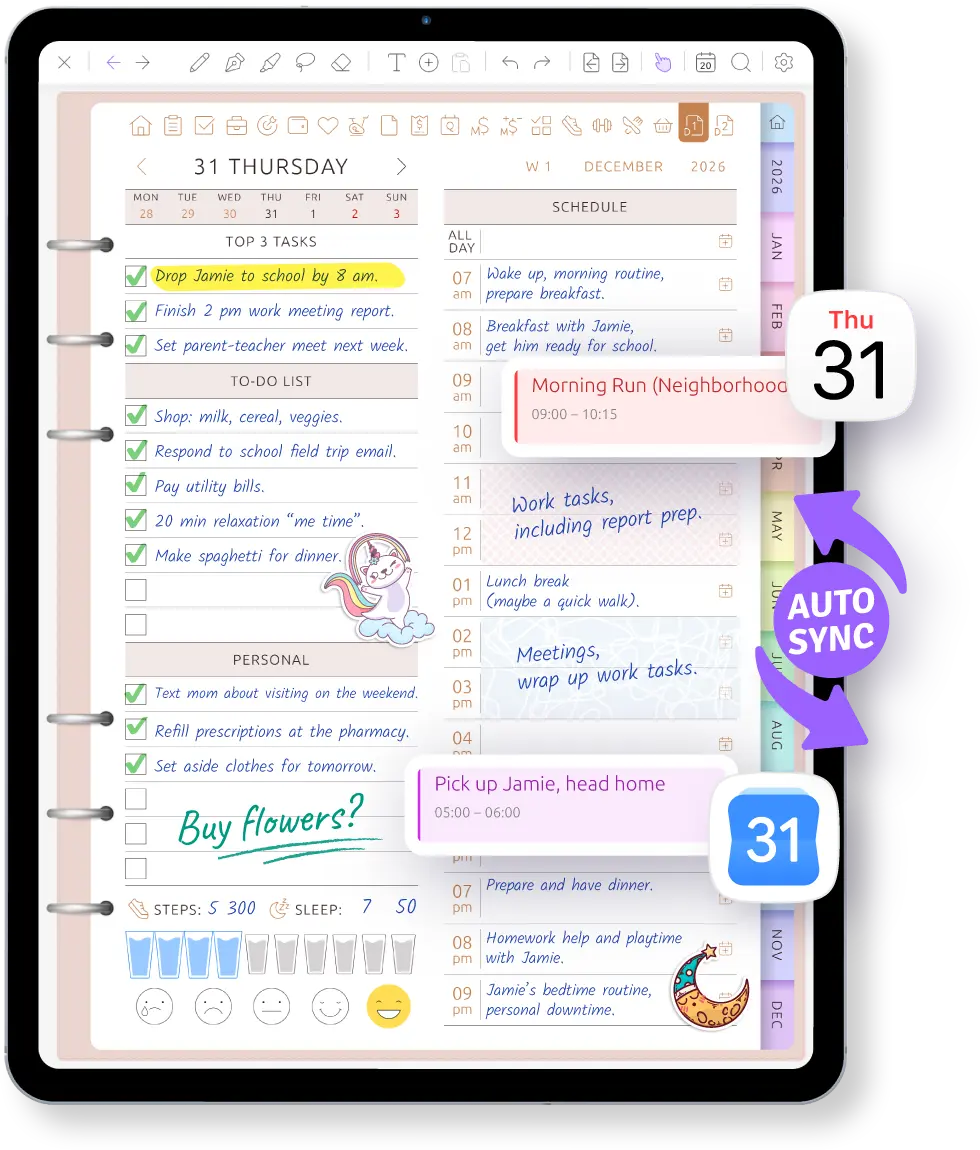
Stop copying every appointment twice. Events from your work and personal calendars appear on your daily, weekly and monthly planner pages automatically.
Write tasks and notes around them. Move or resize an event on the page, and the change goes back to your calendar.
iPad, iPhone, Android and the web.
Sound familiar?
A calendar and a planner should work together. Too often, they still make you maintain the same schedule twice.
I bought a planner that promised Google Calendar sync. It turned out to be a PDF with links — I still had to re-enter every single event.
Work meetings live in one calendar, the kids' activities in another, and my plans on paper. Something always slips through the cracks.
Google Calendar keeps my appointments, but there's nowhere to think around them. Every event looks the same and there's no room to write.
Your calendar already knows your day. Ultimate Planner puts it on a page you can write on.
Where your events show up
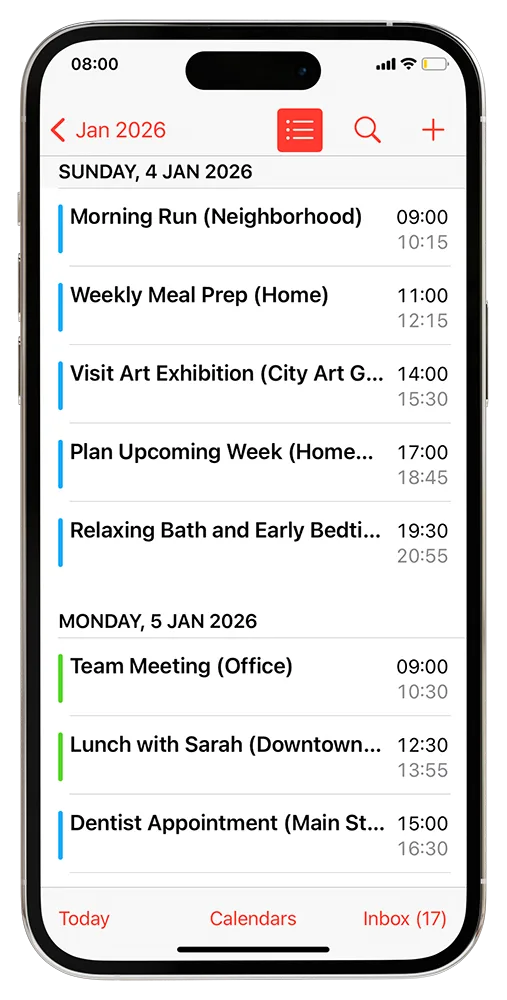
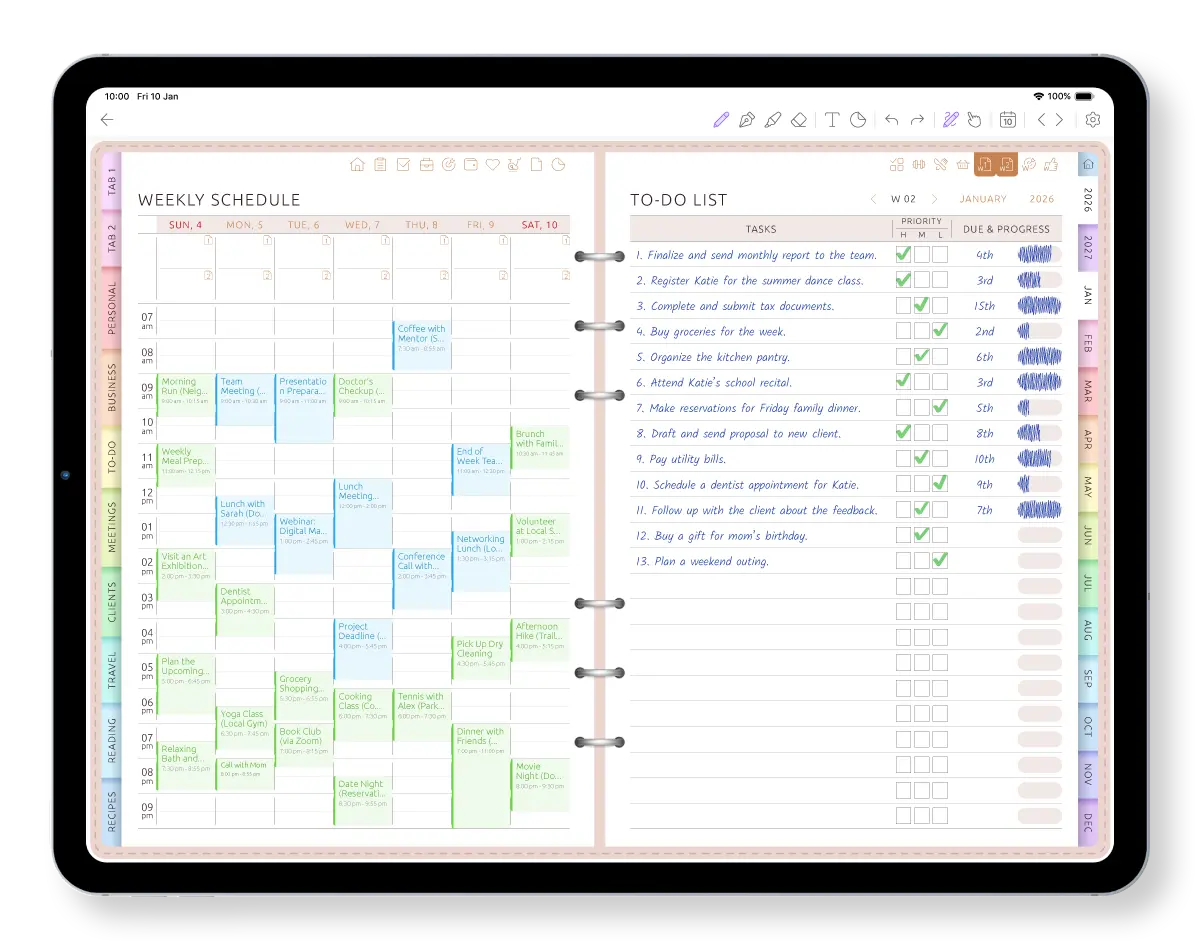
Connect your calendar once. From then on, the events you already have appear on your planner pages — no copying, no links to tap.
-
In the right hour
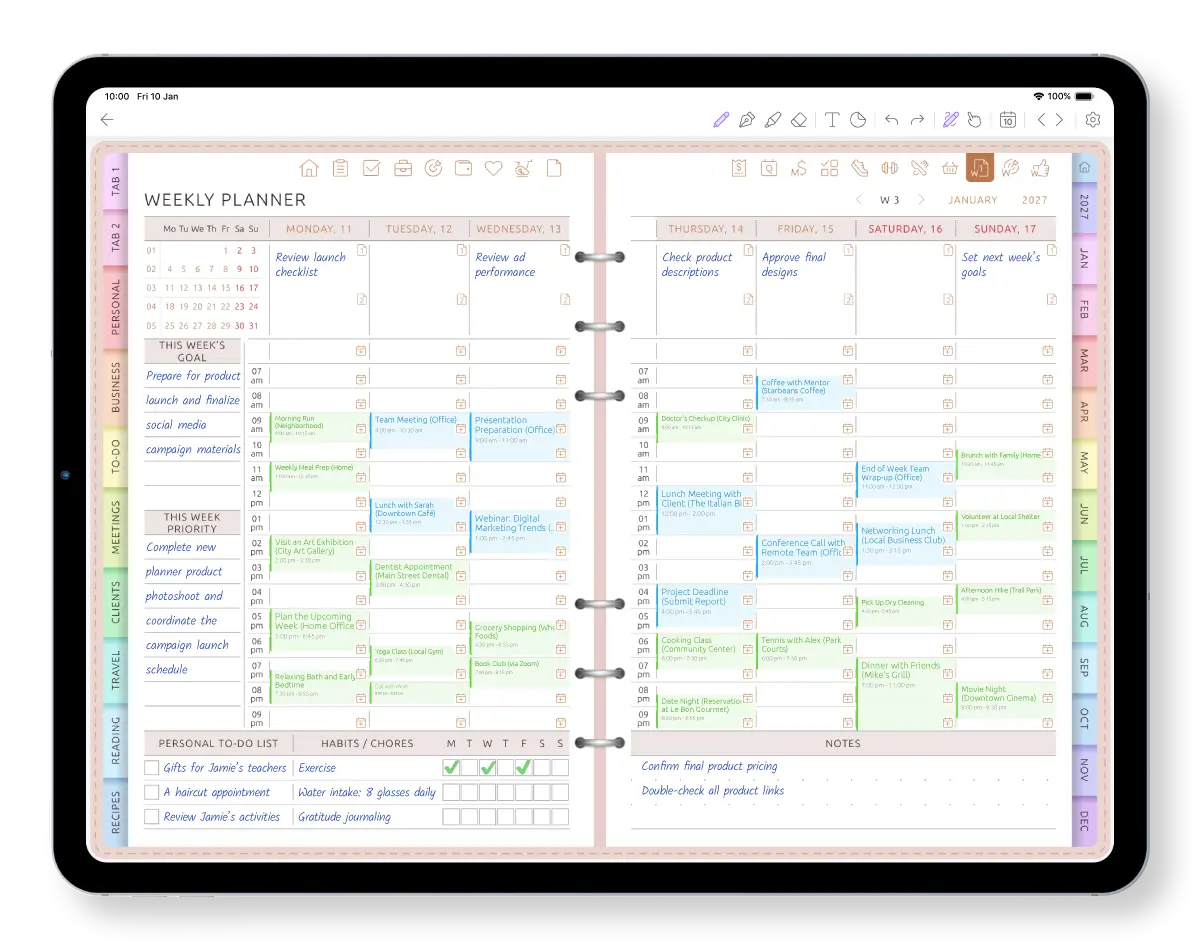
Each event lands in the hourly schedule of your daily page, in the day columns of your weekly page and in its date box on the monthly page.
-
In its calendar's color
Every event keeps the color of its calendar, so work and home are easy to tell apart at a glance.
-
With room to write
Your to-dos, notes and reminders-to-self go right next to the events — by hand or typed.
See calendar sync on the planner page
Watch an event from your connected calendar appear where you plan the month, week and day.
Move it here. Your calendar moves with it.
Plans changed? Drag an event to another time directly on your daily or weekly planner page. Pull its edge to make it longer or shorter.
The updated time is saved back to your calendar, while the handwritten tasks and notes around it stay on the planner page.
Connect your calendar and open this week.
Start free on iPad, iPhone, Android or the web. Your events show up after you sign up.
Work and personal calendars, finally on one page
Most of us run two lives on two calendars: meetings in the work account, the dentist and soccer practice in the personal one. When they sit in separate places, a clash only shows up on the morning it happens.
Ultimate Planner shows the calendars you choose together on the same week. A team meeting and a school pickup on the same Tuesday? You'll see it while there's still time to move one.
- Show calendars from the accounts on your phone or tablet: iCloud, Google and others you've added
- Pick exactly which calendars appear — in all planners or in just one
- Each calendar keeps its own color
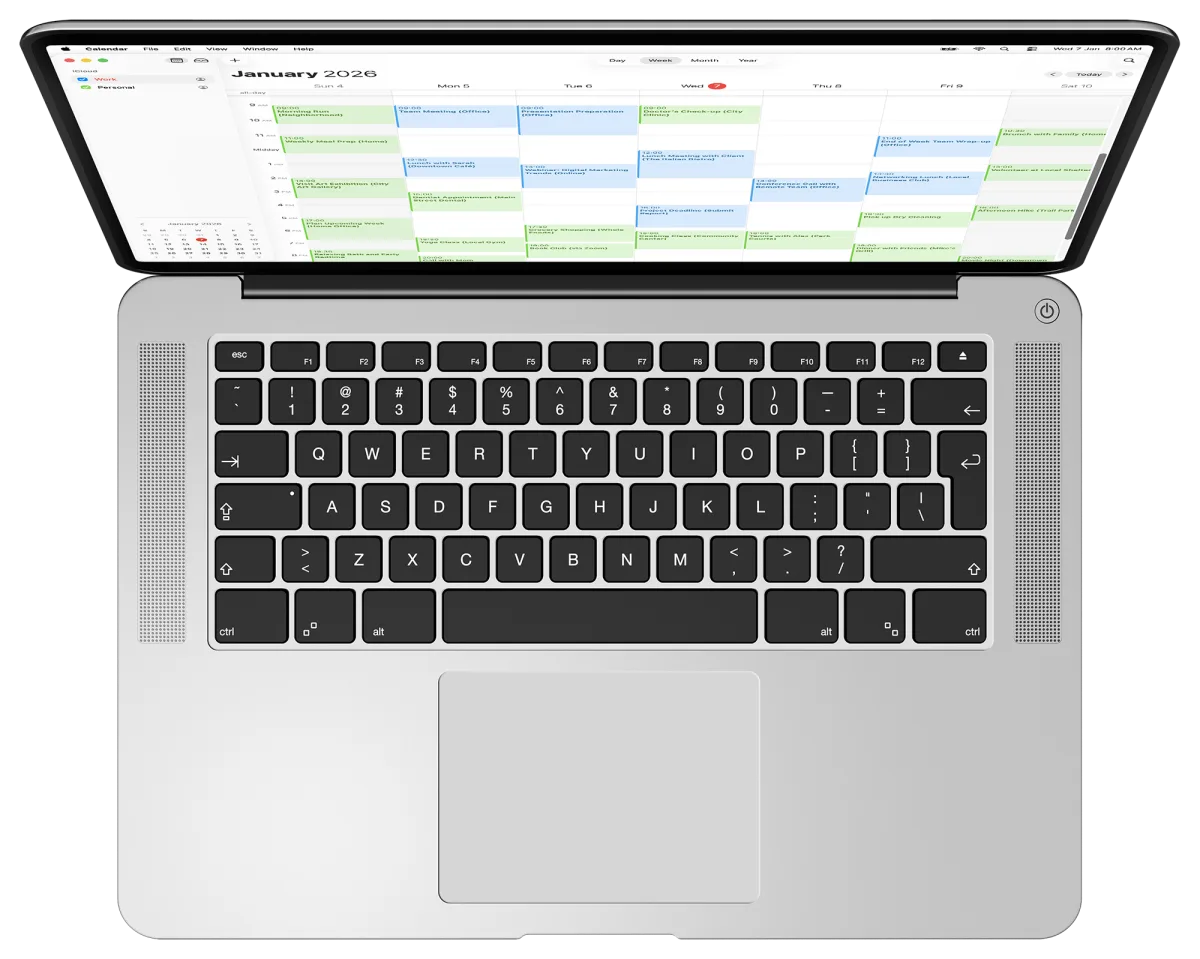
A blank page is hard. A page with your day already on it isn't.
An empty planner page asks you to remember everything that's coming before you can even start. That's where most planning routines stall.
When your 9:00 meeting, the 12:30 lunch and the 3:00 dentist appointment are already on the page, the shape of the day is right there. The gaps between events are your real free time: fill them with the two or three things that matter most, and plan around what's already booked.
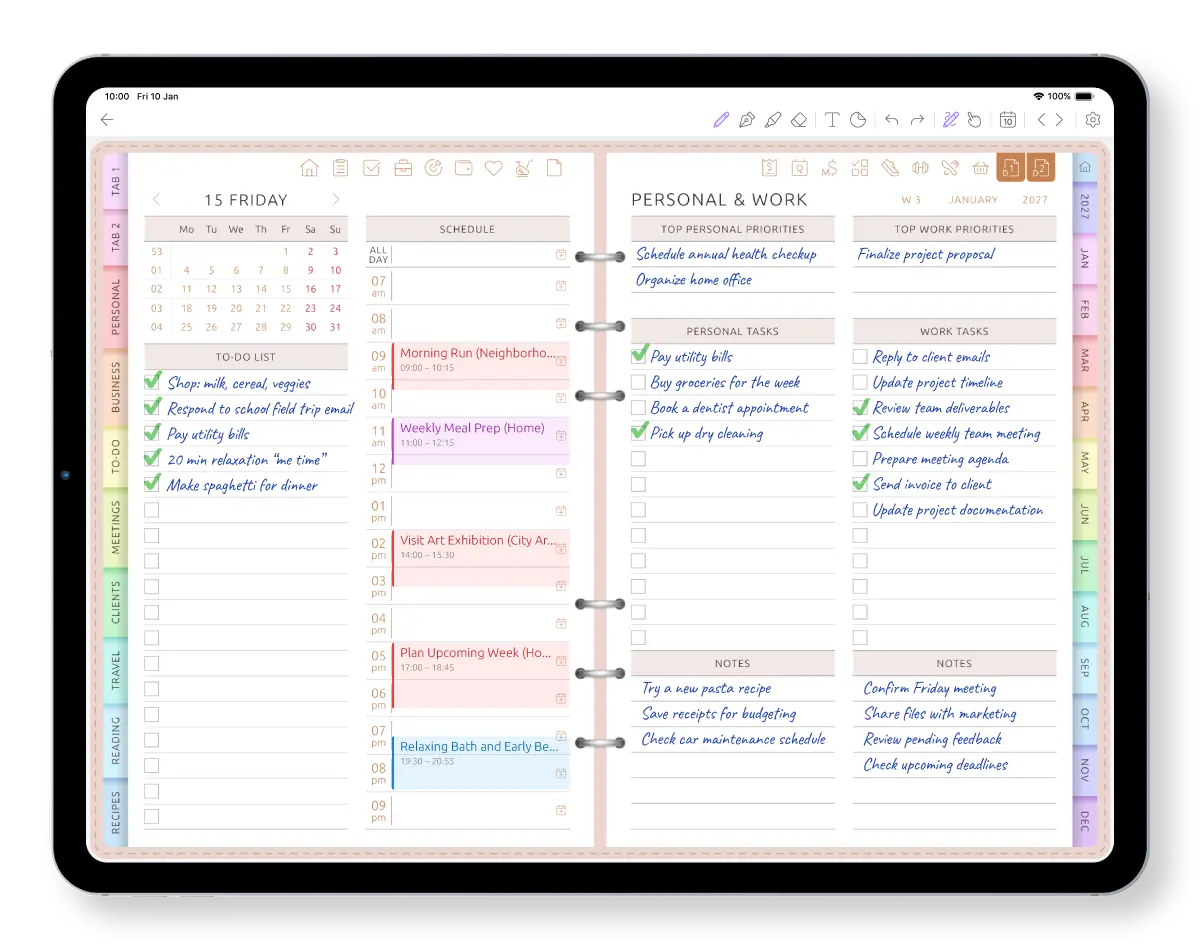
Write next to your events — in your own handwriting
Calendar apps are built for typing, and every note looks the same. Some planner apps let you write, then turn your handwriting into a font.
Here your handwriting stays yours. Circle the meeting that matters, jot what to bring to the appointment, sketch the afternoon — right beside the event. Write with Apple Pencil (palm rejection lets you rest your hand) or a stylus on Android, and type when it's faster. Both can share one page.
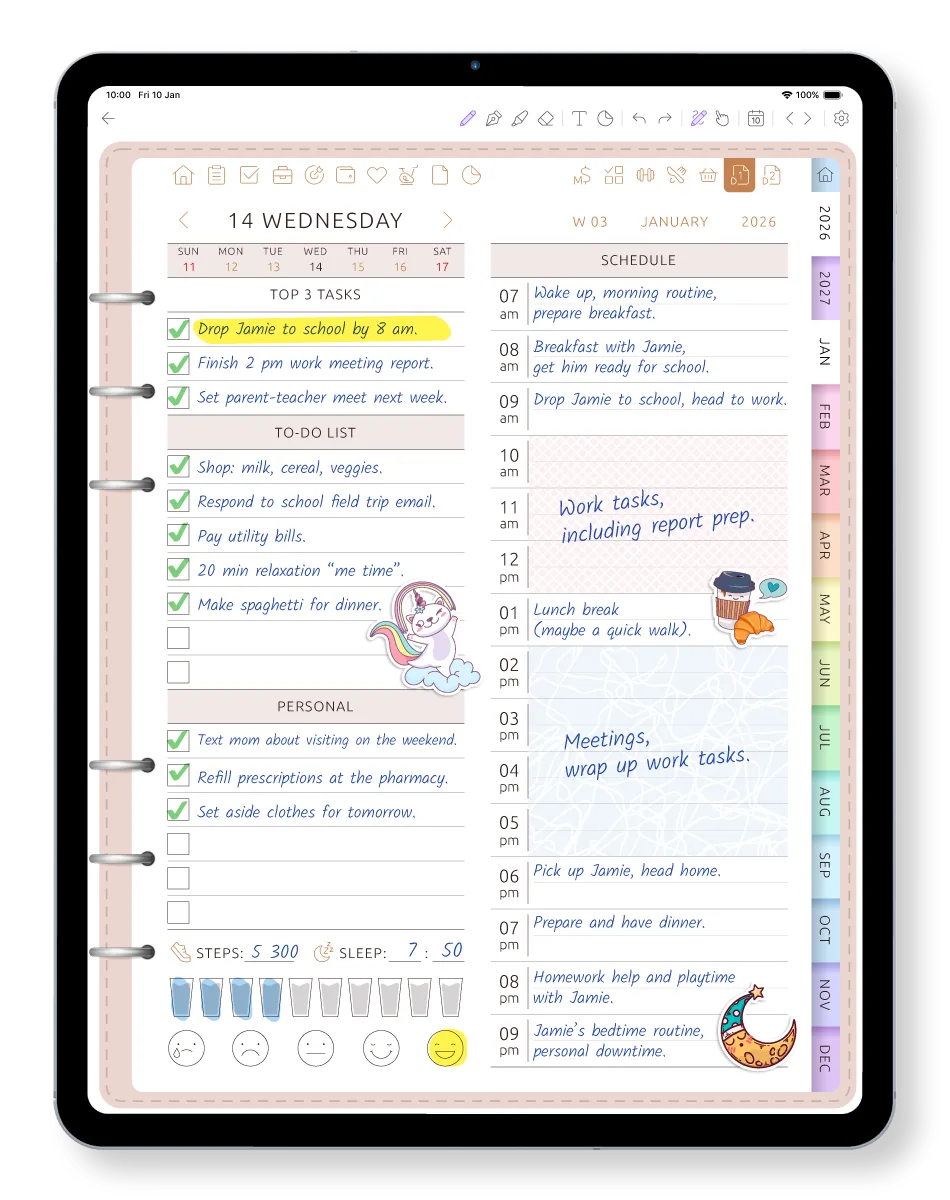
Why not just a PDF planner or a calendar app?
Plenty of digital planners that sync with Google Calendar turn out to be PDFs with a link to your calendar app. Here's the difference.
Your events appear on the pages automatically
- PDF planner with “calendar links”
- No — you re-enter them
- Calendar app
- Yes
- Ultimate Planner
- Yes
Write by hand next to an event
- PDF planner with “calendar links”
- Yes
- Calendar app
- No
- Ultimate Planner
- Yes
Room for the day's to-dos and notes
- PDF planner with “calendar links”
- Yes
- Calendar app
- Limited
- Ultimate Planner
- Yes
A changed calendar event updates the page
- PDF planner with “calendar links”
- No
- Calendar app
- Yes
- Ultimate Planner
- Yes
Move or resize an event on the planner page
- PDF planner with “calendar links”
- No
- Calendar app
- Yes — in the calendar app
- Ultimate Planner
- Yes — the calendar updates too
Work and personal calendars in one view
- PDF planner with “calendar links”
- Only what you copy in
- Calendar app
- Yes
- Ultimate Planner
- Yes — choose which calendars appear
A PDF planner is a fine choice if you love a fixed, beautiful file and don't mind writing the times in yourself. Detailed comparisons: GoodNotes with a PDF planner, Notability.
Set up calendar sync in three steps
-
Start free
Download the app on iPad, iPhone or Android, or open it in your browser, and pick a planner.
-
Connect your calendars
In My Calendars, allow calendar access on your phone or tablet, or sign in with Google on the web. Choose which calendars to show.
-
Open this week
Your events are already on your daily, weekly and monthly pages. Write your plan around them.
Using Apple Calendar on the web? It needs an app-specific password — here's the step-by-step guide.
Private, and easy to switch off
In the apps
The planner reads calendars through your device's own calendar permission, with no calendar passwords. You can turn calendar access off at any time in your device settings.
Google on the web
Access goes through Google's own sign-in. To stop showing the account, click Disconnect on its card in My Calendars.
Apple on the web
An app-specific password can't be used to sign in to your Apple Account, change its settings or make purchases. Revoke it at any time at account.apple.com.
Frequently asked questions
Your calendar already knows your day. Now plan it.
Start free on iPad, iPhone, Android or the web. Connect Google Calendar or Apple Calendar, and this week's events are waiting on your pages.